Retro cable TV from your own library - flip channels, not menus.
Disclaimer
Plays only media from your own Kodi library and folders. The optional weather channel uses Kodi's weather service or, if you enter a location, fetches forecasts from open-meteo.com.
Description
CableBox 42 turns your Kodi library into a live cable TV lineup. Shows air on a real-time schedule with commercial breaks and bumps from your own clip folders, a scrolling program guide channel, a retro weather channel, static between channels and a channel banner. Lineups build themselves from your library (genres, decades, studios, tags, smart playlists or folders) and can be fine-tuned show by show - there is no schedule to compile. Playback uses Kodi's own player, so hardware decoding works exactly as it does for the rest of your library. Inspired by the FieldStation42 project; not affiliated with it.
News
v1.0.0 (2026-10-31) - first release - Builds a cable TV lineup from your Kodi library: genre, decade, studio and movie channels, one home channel per show - Shows air on a real clock with commercial breaks, bumps and station IDs from your own folders - Program guide channel and weather channel with background music - Weekly planner for pinned time slots, automatic prime time, overnight sign-off with a "Please Stand By" card - Holiday programming for Halloween, Thanksgiving and Christmas - Short programmes packed into one time slot; CH 03 channel number and optional CRT effect - Watch progress protection, AV1 and broken-file handling
How To Install
Direct installation
Via Repository
Via Directory
- Download the addon.
- Open up Kodi and navigate into Add-ons.

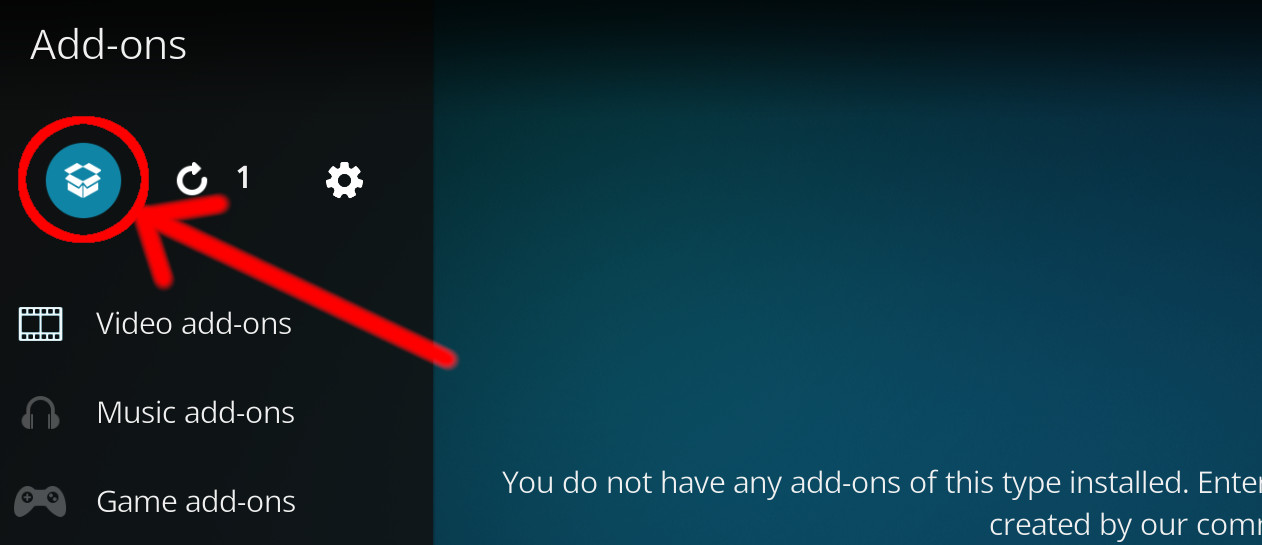
- Click the open box icon (above the side-menu).
- Select Install from zip file.
- If this is the first addon you install, Kodi will warn you about installing addons from "unknown sources" for security reasons - it's your call.
- In any case, Kodi will warn you, you may not get auto-updates for this addon.
- Navigate into the location where you've downloaded the addon to and select it to Install.
For a full installation guide please click here.
Additional Information
| Updated: | November 02, 2026 |
In Repositories: |
|
| Platform: | all |
| License: | MPL-2.0 |
Depends On: |