Subtitles from SubDL.com
Disclaimer
Needs a free SubDL API key from https://subdl.com/panel/api. Free keys have a daily limit on searches and downloads.
Description
Search and download subtitles for films and TV episodes from SubDL (subdl.com). The add-on finds the title by its IMDb or TMDB id, by its name, or by the name of the file you are playing. For an episode it can take the right file out of a season pack, and subtitles made for your exact release are listed first. Uses your own free SubDL API key: create one at https://subdl.com/panel/api and enter it in the add-on settings.
News
1.0.1 - Each language is searched separately, so English cannot crowd out the others 1.0.0 - First release: search by IMDb or TMDB id, title, season and episode, or release name - Episodes taken out of season packs, best release match listed first - Subtitles in older code pages (for example Persian Windows-1256) converted to UTF-8 - Clear messages when the API key is missing or a daily limit is reached
How To Install
Direct installation
Via Repository
Via Directory
- Download the addon.
- Open up Kodi and navigate into Add-ons.

- Click the open box icon (above the side-menu).
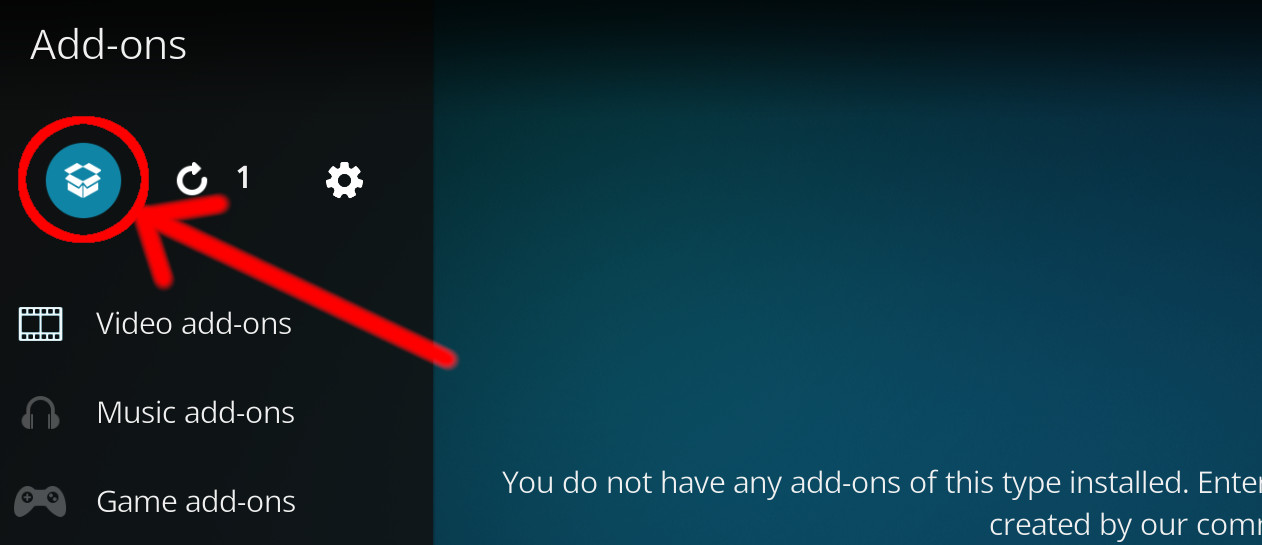
- Select Install from zip file.
- If this is the first addon you install, Kodi will warn you about installing addons from "unknown sources" for security reasons - it's your call.
- In any case, Kodi will warn you, you may not get auto-updates for this addon.
- Navigate into the location where you've downloaded the addon to and select it to Install.
For a full installation guide please click here.
Additional Information
| Updated: | November 04, 2026 |
In Repositories: |
|
| Platform: | all |
| License: | MIT |
Depends On: |


