Help other people decide, vote up or down?
Template B Movies/TV Shows
Disclaimer
The Author does not host or share any content, nor is affiliated with the content providers.
Description
Watch Movies and TV Shows in High quality! Please note that this addon is not an official part of the Kodi media player , and therefore not to be mentioned within official support channels, this addon has nothing to do with the media player itself, nor it’s intended use, it is simply a third party plugin which has been added to your system.
News
Update Providers
How To Install
Direct installation
Via Repository
Via Directory
- First make sure you have the repository installed
- Open up Kodi and navigate into Add-ons.

- Click the open box icon (above the side-menu).
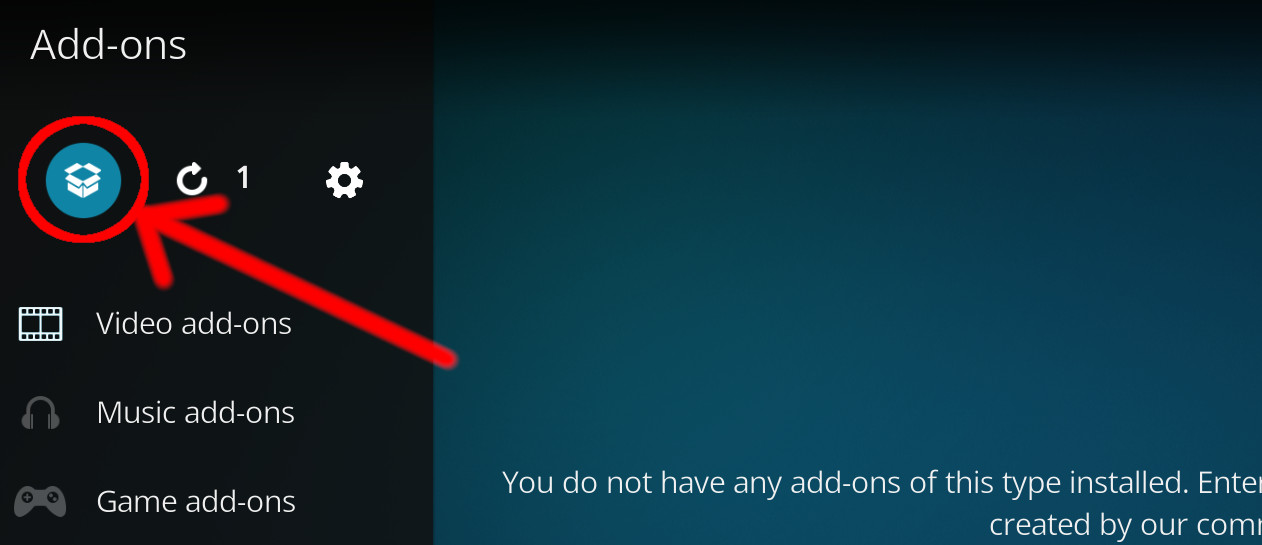
- Select Install from repository.
- If you have at least one repository (besides the default) installed:
Select the repository you wish to install from.
- If you have at least one repository (besides the default) installed:
- Select the category the addon belongs to, in this case it should be video.
- Select Template B.
- Click Install.
For a full installation guide please click here.
Additional Information
WebsiteForumSource
| Updated: | May 13, 2021 |
In Repositories: | |
| Platform: | all |
| License: | Not specified |
Depends On: |